
Plot a basic drilling shock data with matplotlib
This is a very simple approach to plot your vibration/shock data vs. depth using python panda and matplotlib. The shock is categorised according to 4 levels: low (green), medium (yellow), high (red) and severe level (maroon). The plot is useful when you want to do a quick analysis post-run or as an appendix for end of well report. It is also easy to customise when it comes to the reference levels (normally in vector unit g) and colors.
Input: excel file
Output: plot from matplotlib
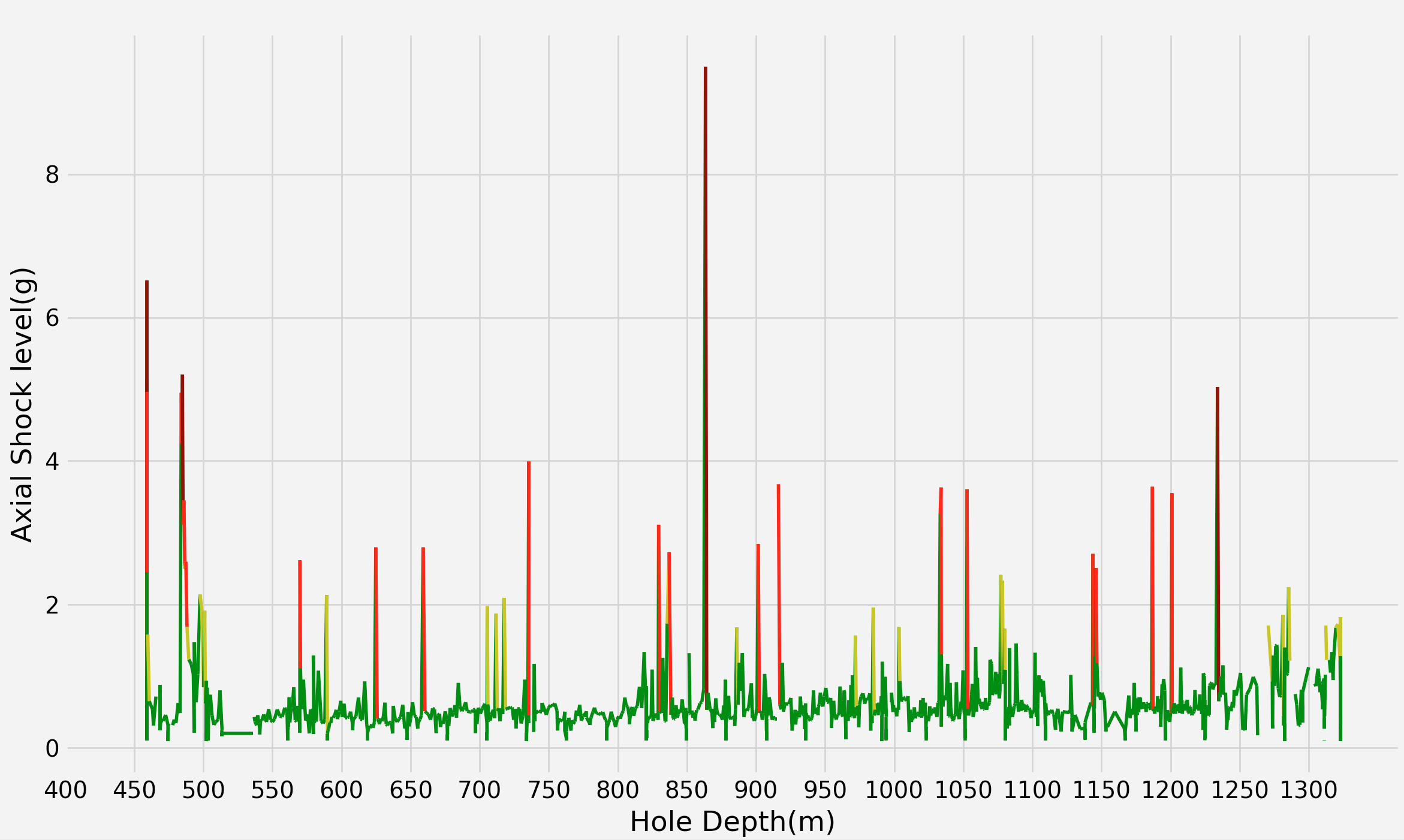
Instruction.
-
First, make sure your excel file has the shock channels, in this example i provided lateral shock channel. Erase all the invalid or -999.25 values. Make sure the name of the channel is simple an without any space.
-
Code. Check that you have all the required python library. Here I am using python 3.7
import pandas as pd
import matplotlib.pyplot as plt
from matplotlib.collections import LineCollection

#define variables
y= df["your axial shock channel"]
x= df["your hole depth channel"]

#set up colors & customise your shock level condition. Here I used some random numbers; low for any shock level below 2 g, medium for 2-4 g, high for 4-6 g and severe for anything above 6 g

c =['green' if a <=1.5 else 'yellow' if a<=2.5 else 'red' if a<=5 else 'maroon' if a >5.0 else 'white' for a in y]

#convert time series to line segments
lines =[((x0,y0), (x1,y1)) for x0, y0, x1, y1 in zip(x[:-1], y[:-1], x[1:], y[1:])]
colored_lines =LineCollection(lines, colors=c, linewidths=(2,))

#this is for plotting
plt.style.use('fivethirtyeight')
fig, ax = plt.subplots(1)
ax.add_collection(colored_lines)
ax.autoscale_view()
plt.ylabel("Axial Shock level(g)")
plt.xlabel("Hole Depth")
plt.show()
Remember you can always customise your plot to make it look nicer and informative by for example displaying a legend or adjust the scale of the plot (using xticks or yticks).